
Menu
Watermark can assist in extracting data upon request. These are the steps to accessing the data.
FileZilla is the software we use to host our files and allow users to access them. Download the client using the link below:
https://filezilla-project.org/download.php?type=client
When you open the FileZilla client, you will see something similar to this:
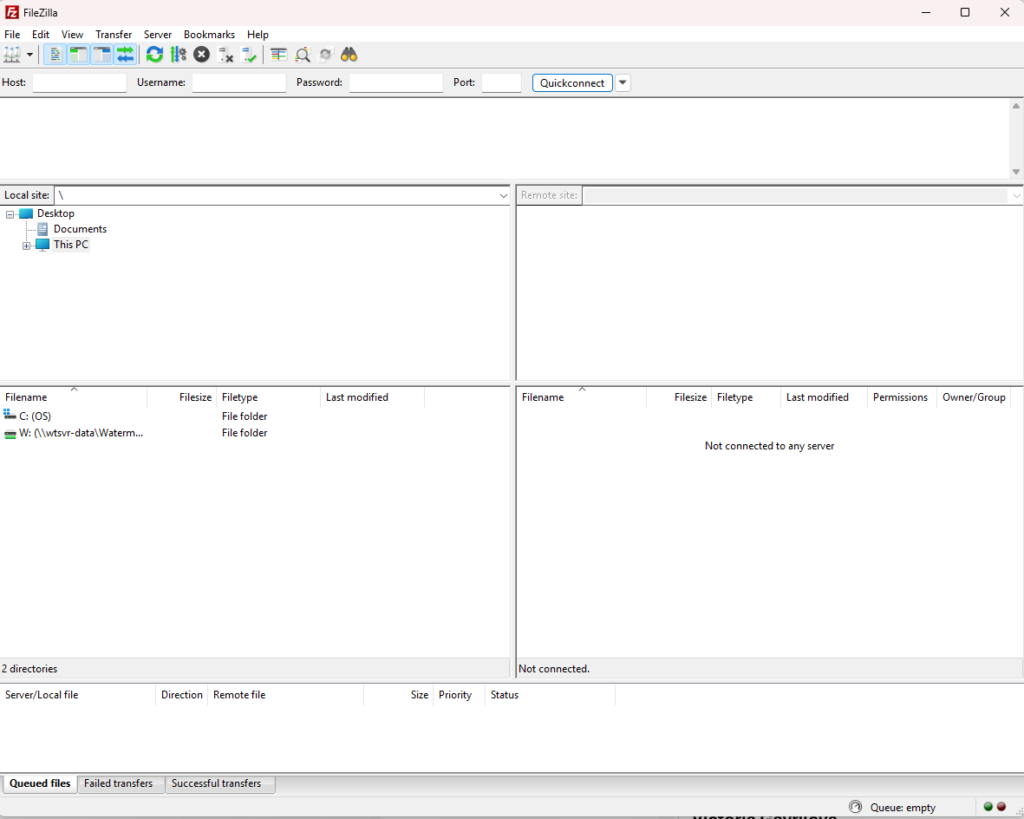
To access the files, the Watermark support team will send you details to put into the client. The details we will provide via email are the host, username and port. The password will be provided via phone call to ensure security.
Once all the details are recieved, fill them in at the top and click 'Quickconnect'.

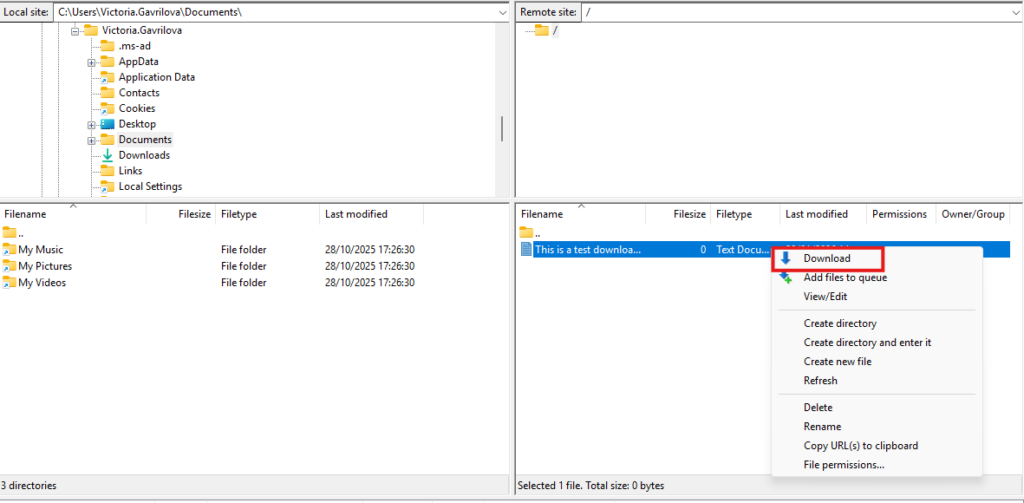
To download files after accessing them, either right click the file and click 'Download' or alternatively, drag the file into your desired location on the left.
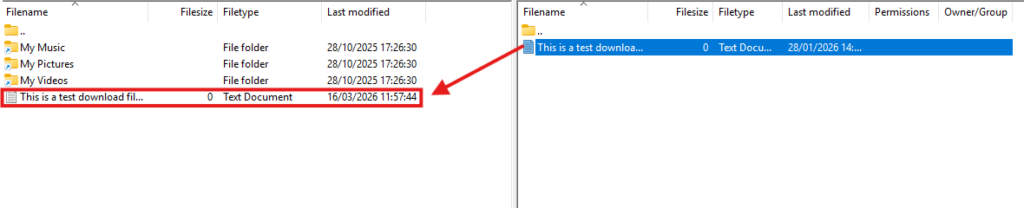
Once you have successfully downloaded the files and are able to access them, email support@watermarktech.co.uk confirming this. This is to ensure that we do not hold onto sensitive customer data for longer than necessary.