
Menu
On Wednesday April 8, 2026, Chrome for desktop started rolling out an update over the next few days/weeks. This update includes security patches, one of which being requiring user input to allow websites to communicate with desktop apps. Therefore, many people are getting the red plug due to Papercloud not being permitted a connection to the Connect application.
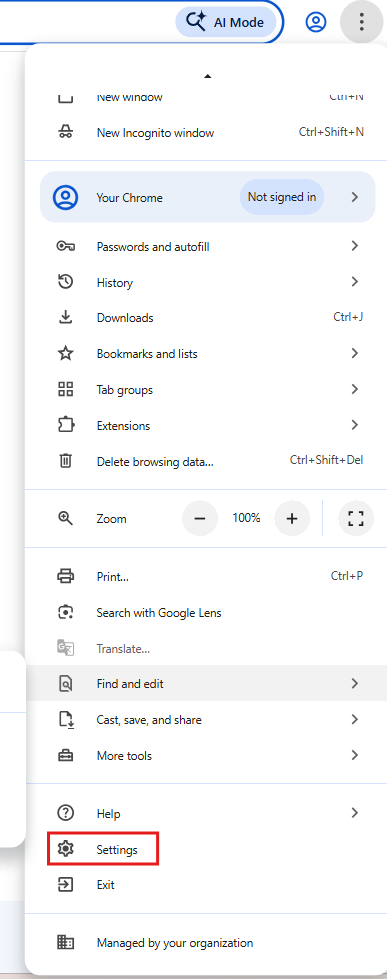
Go to Chrome settings:
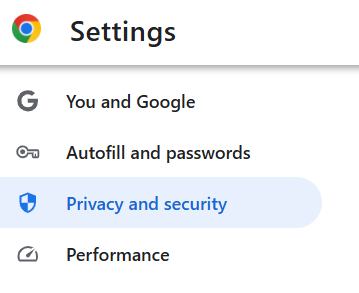
Go to Privacy and security:
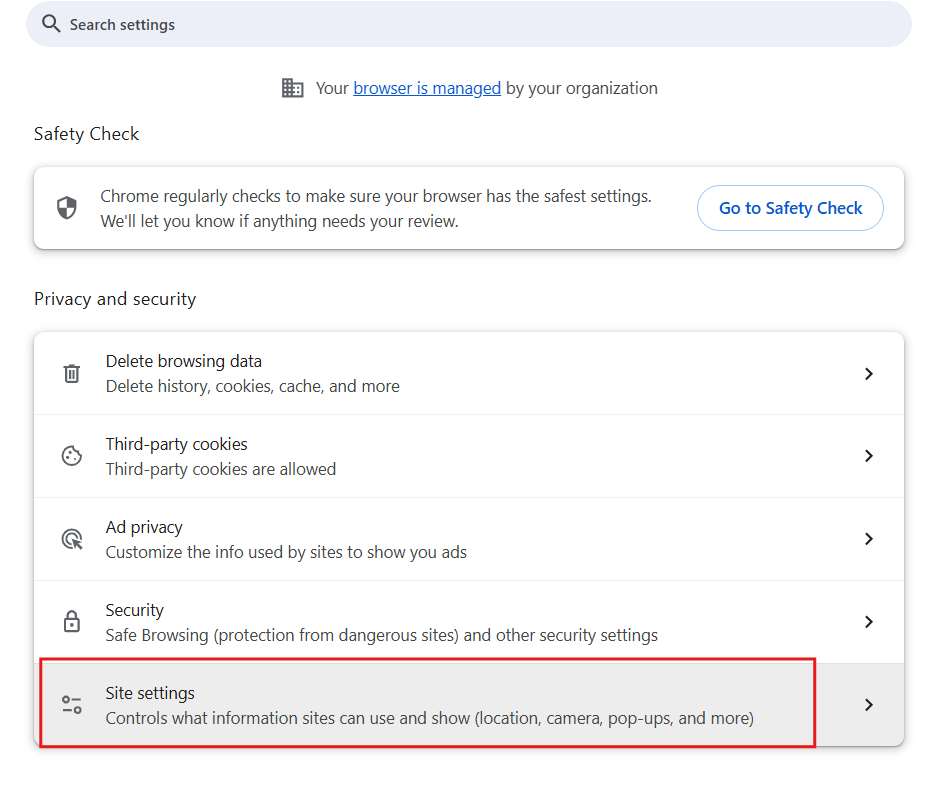
Go to Site settings:
You may see Papercloud in recent activity. Click this to expand the site settings:
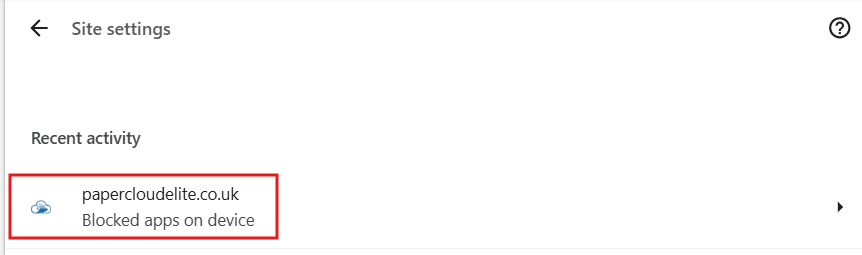
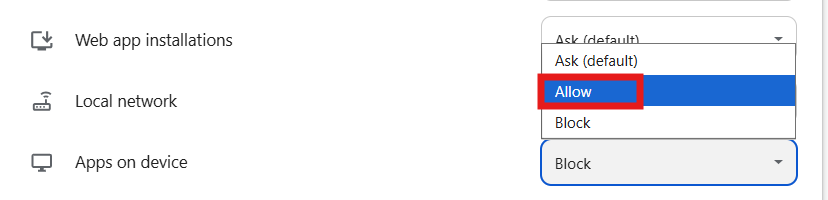
Scroll to the bottom and allow Apps on device as this will allow Papercloud to communicate with Connect.
If these steps have not remediated the issue, follow the other troubleshooting guides below, or alternatively, contact us at support@watermarktech.co.uk.
Watermark Connect launches, then exits shortly afterwards.