

Menu
If the quality of the Virtual print from Excel to Volume is poor please follow the below steps:
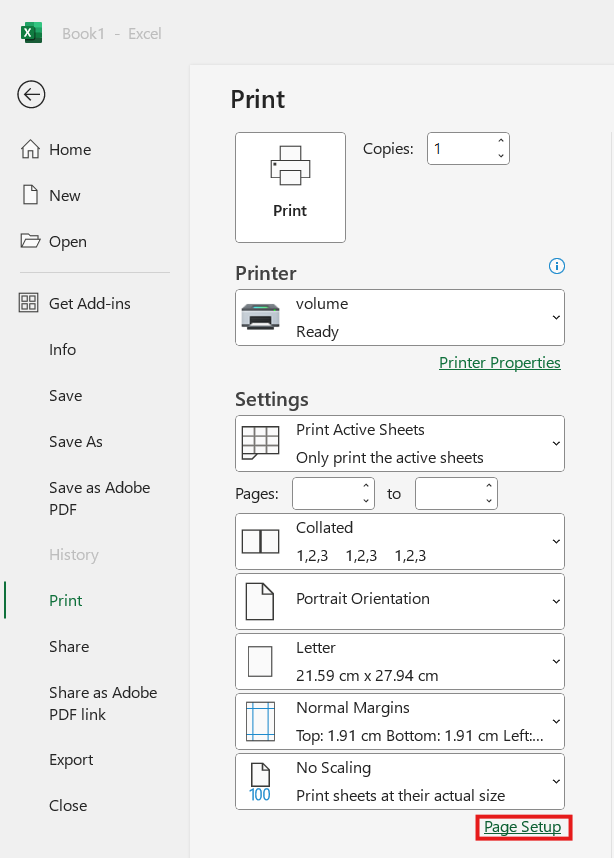
Open Excel, open the relevant file, select the File tab -->Print
In the printer field select a Volume printer:

Select "Page Setup".
The Page setup box will appear, in the "Print Quality" field use the drop down menu to change the dpi settings to "200 dpi".

Select "OK" then "Print".
The file will then be printer to Volume. Open the file to check the quality of the image.

