

Menu
A client/file list can be produced in most popular file formats such as Excel or CSV for example. A scanning bureau may require this list to match paper files with the file IDs stored in Volume.
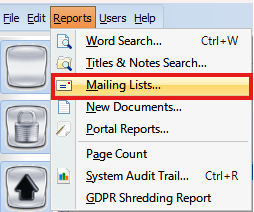
Open Volume, select the 'Reports' menu then ‘Mailing Lists’.
Select the filter as appropriate or leave everything blank to select all available files. Click ‘Apply Filter’.

Click Next.

For scanning bureaus, select ‘CSV File’ and Start Export. Or alternatively, you may wish to export to Excel.


