
Menu
In Papercloud Elite, it is possible to create a task and allocate it to a specific User or Communication Group for comment and action.
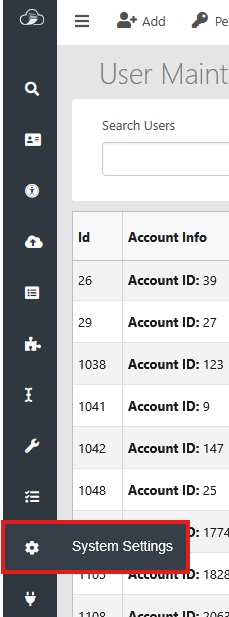
By default, Task Maintenance is not enabled. To enable, click on the 'System Settings' icon.
Note: Appropriate system permissions are required.
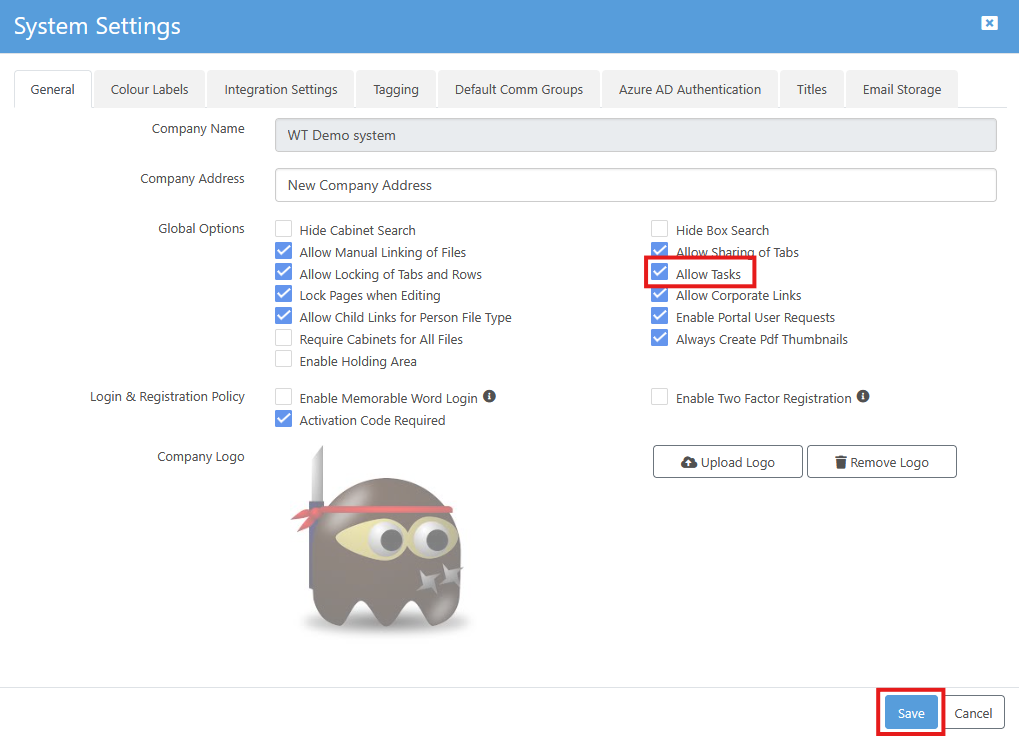
Then, on the 'General' tab, select 'Allow Tasks' and click 'Save'.
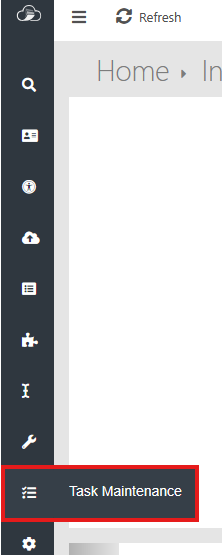
A new Task can be created either from the menu ribbon down the left or at box or document level.
From the menu ribbon, select 'Task Maintenance':
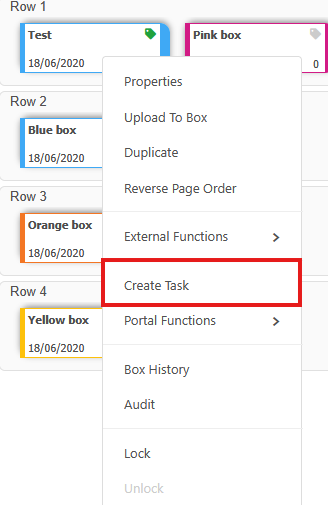
Or by right clicking on box or image:
The steps required in order to complete the task can be added, amended, deleted and ticked to confirm completion. A due date is required and the task can be marked as important.
The Status changes on completion of a step.

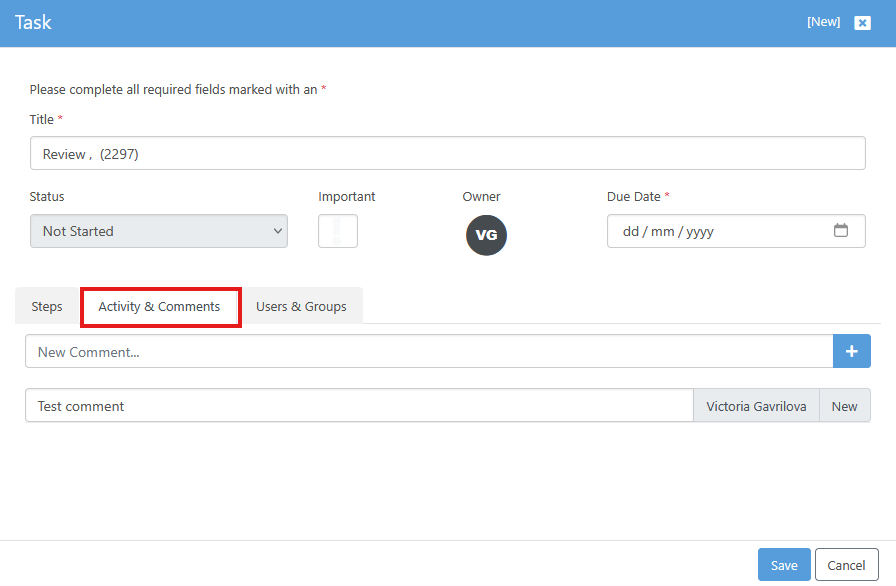
User comments can be added at any time. Activity is added automatically on completion of a task.
These can be individuals or User groups.
For Groups see "Using Permission Groups & Access Groups" KBP006.

This enables the user to filter the task list:


1. The Notification tab alerts users to new or outstanding tasks, as well as any updates to those tasks.

2. The Task list sidebar displaying all details, steps, and a link to the related work items.