Menu
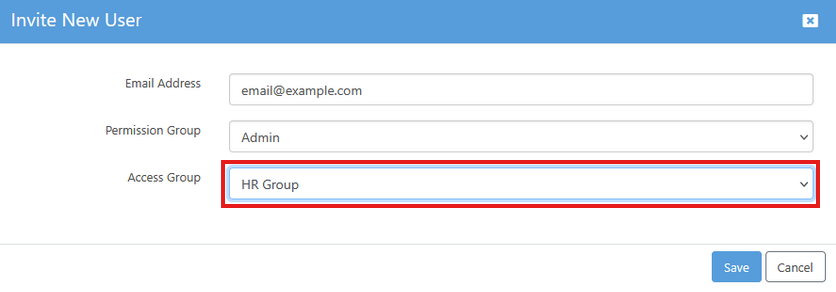
When you add a user to your Papercloud system, you will need to allocate them to a 'Permission Group' and an 'Access Group'.

To add/delete/modify groups, use the links at the top of the user maintenance screen.
'Permission Groups' control what actions a user can perform within Papercloud.
'Access Groups' control what level of access a user has to specific cabinets.
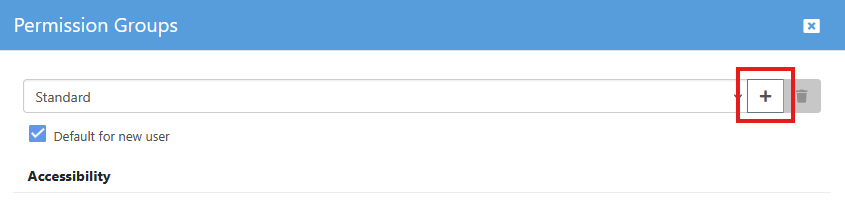
All users must be in a permission group. There are three default permission groups: 'Administrator', 'Read Only' & 'Standard'. Only 'Standard' can be modified, but you can create your own groups by clicking the '+' next to the permission group drop down. The group that a user is allocated to dictates what they can and cannot do in Papercloud.

There are no default 'Access Groups' as by default there are no cabinets.
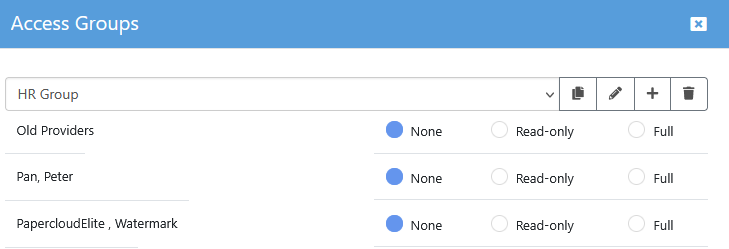
If you have cabinets, then you control user access to those cabinets using 'Access Groups'. Use the '+' button next to the drop down list to create an access group.
Note: If you create a cabinet and assign files to it without then adding it to an access group, only the 'Administrator' group will see it.

Once you have an access group, selecting it in the drop down will allow you to see and modify the cabinet access for that group.
When creating a new user or editing an existing user, use the drop down to select the permission group and access group to assign to that user.