
Menu
To be able to use Azure AD user profiles within Papercloud, contact support@watermarktech.co.uk to initiate the Azure AD integration.
With this integration, you will be able to create accounts using the users' Azure "User Principle Name", enabling the use of Microsoft SSO (Single-Sign-On) and centralising account and user management for your organisation across multiple platforms.
After contacting Watermark support about enabling the AzureAD integration, log into Papercloud and open the 'System Settings' menu.
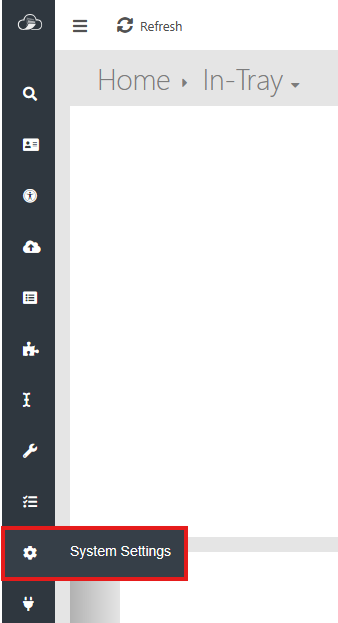
The tab 'Azure AD Authentication' has now appeared.

In this tab, enable 'Azure AD Authentication' and input the 'Azure Tenant Id' to associate your Azure domain with the Papercloud site.
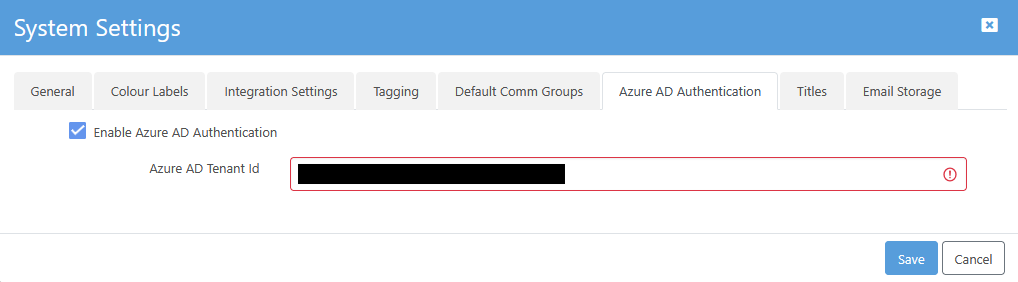
From now on, the user account editing page will feature a 'User Principle Name (Azure AD)' as the first field.
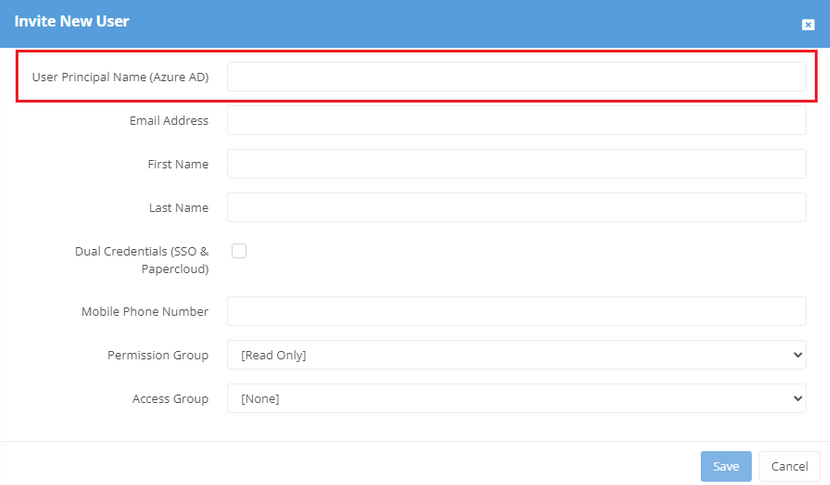
Here, input the Azure AD details for the user into the 'User Principle Name' field and in the 'Email Address' field. The user will receive the invite email and now has an account that can sign in using Microsoft SSO.
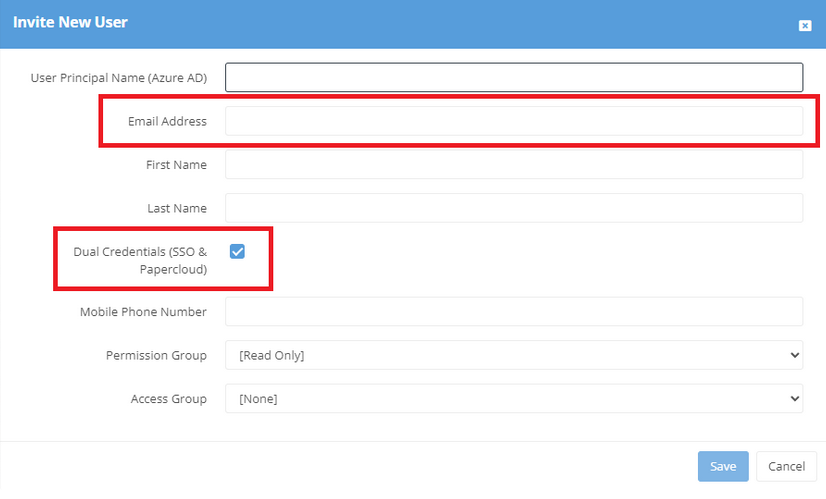
To set up a user who is not in your Azure AD, you can still register that user with standard Papercloud login. To do this, set up the user using the 'Email Address' field and tick the 'Dual Credentials (SSO & Papercloud)' option. This will create the account using the default credentials, not Azure AD.
The user will receive the standard Papercloud email invite once the account has been created. If created with an Azure AD account, the user will follow the "Click here and log in using the 'Log in with Microsoft Account'" hyperlink.
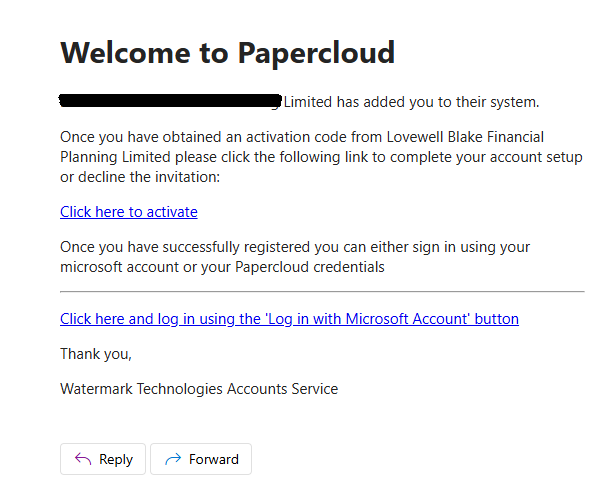
This link will forward them to your organisation's AD identification verification procedure. Once logged in, the user will be in Papercloud.
If after following these instructions, you are having issues with registering, feel free to contact support@watermarktech.co.uk.