
Menu
For a box, right click and select properties. For a tab, right click and select edit:

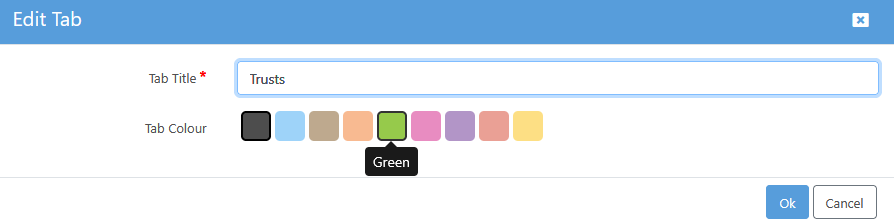
Pick the desired colour from the 'Tab/Box Colour' options.
Colour is then applied at a tab/box name level:

To remove the colour, simply follow step 1 again and then select “Grey”.