
Menu
A full rewrite of the application has occurred to keep Papercloud in line with cutting edge technologies available for the creation of web-based applications. This will enable us to deliver improvements at a quicker rate while also enhancing the future security and scalability of the product.
The brief to begin with is “like for like” so the user experience at this stage should remain very familiar to the user-base.
The benefits of these recent changes include:
Towards the end of these release notes, we'll explain the improvements that this update enables us to make to the software in the future.
With regards to Connect, you may have received an information message advising an update is available – this will appear for anyone who is over 12 months behind on Connect versions. Ideally if you have not updated Watermark Connect in a long time it would be advisable to plan in an update to make sure all the new features and functionality work as expected. Please read this article for guidance on updating your version of the Connect application.
Here are some of the main improvements you'll experience in the new version of Papercloud.
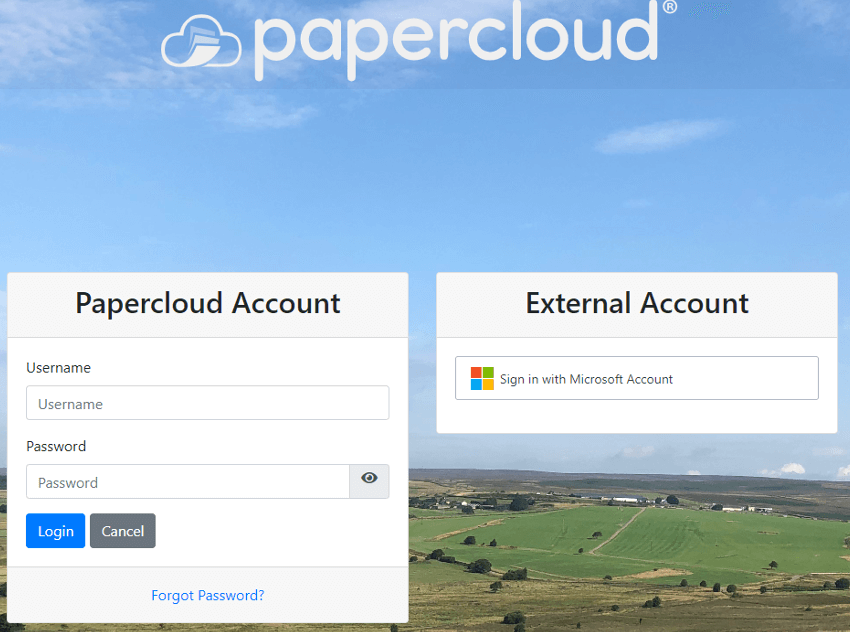
Improved layout of the sign-in page
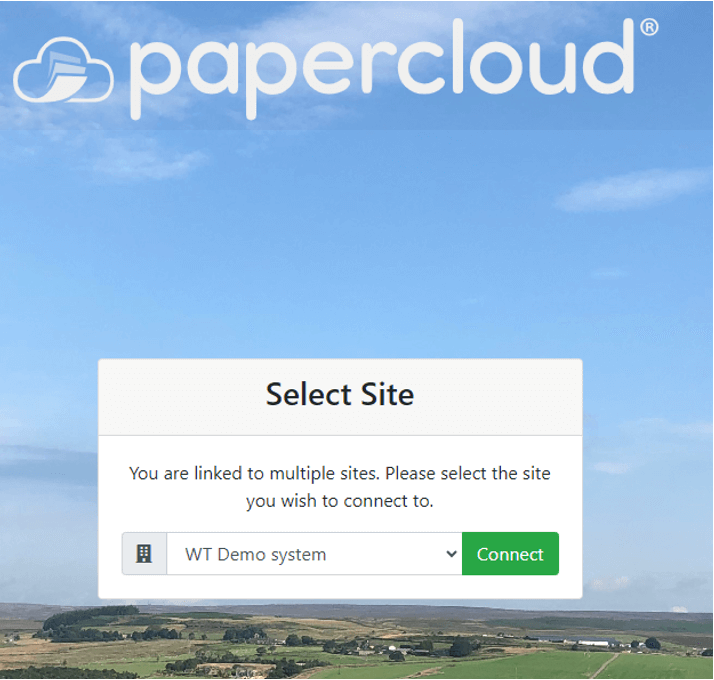
New site selection page
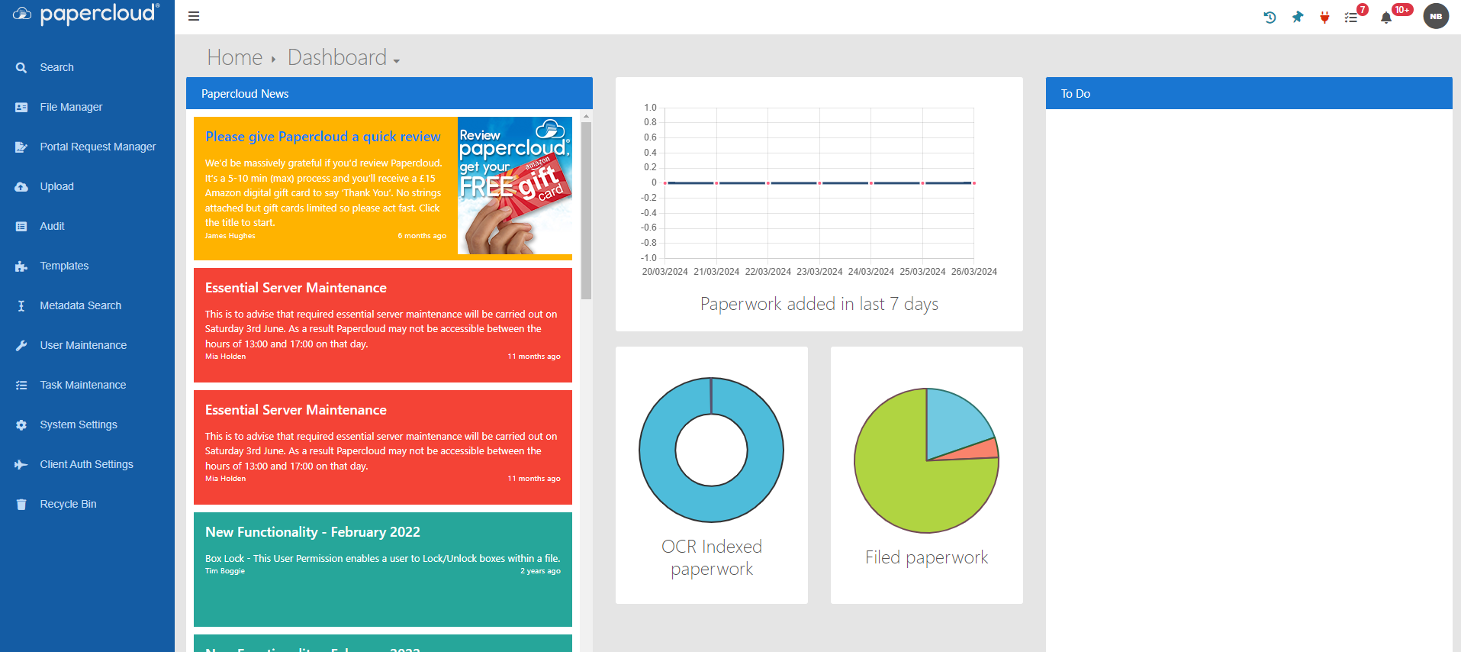
Minor visual changes to the Homepage / Dashboard
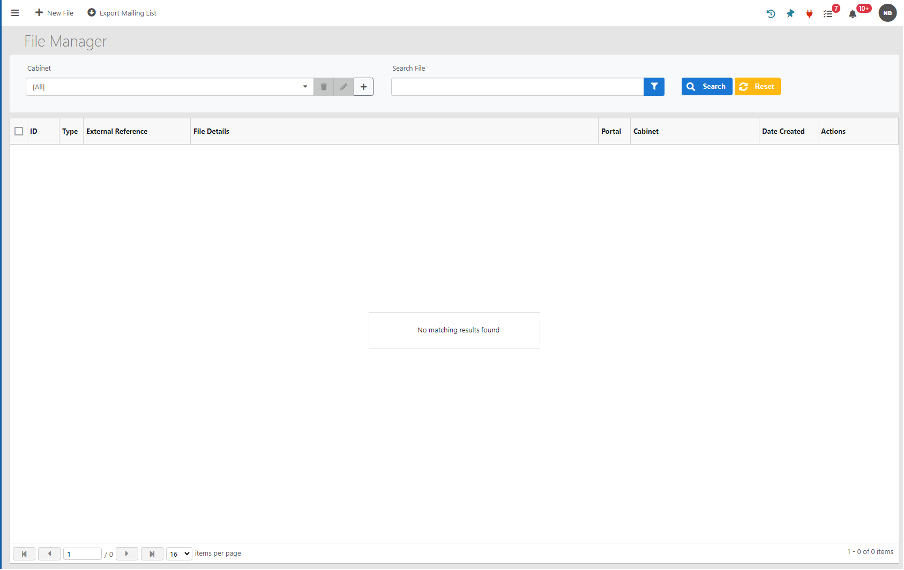
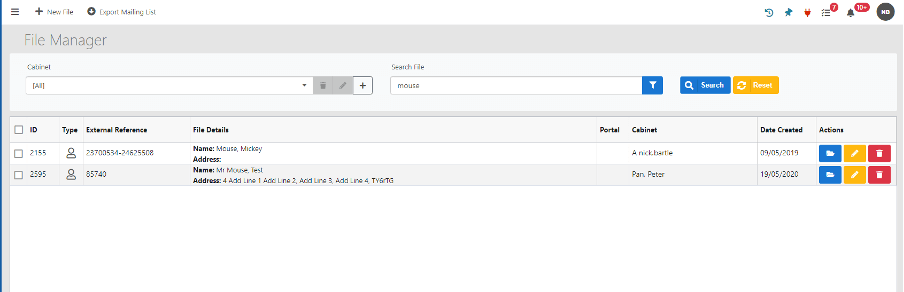
File Manager

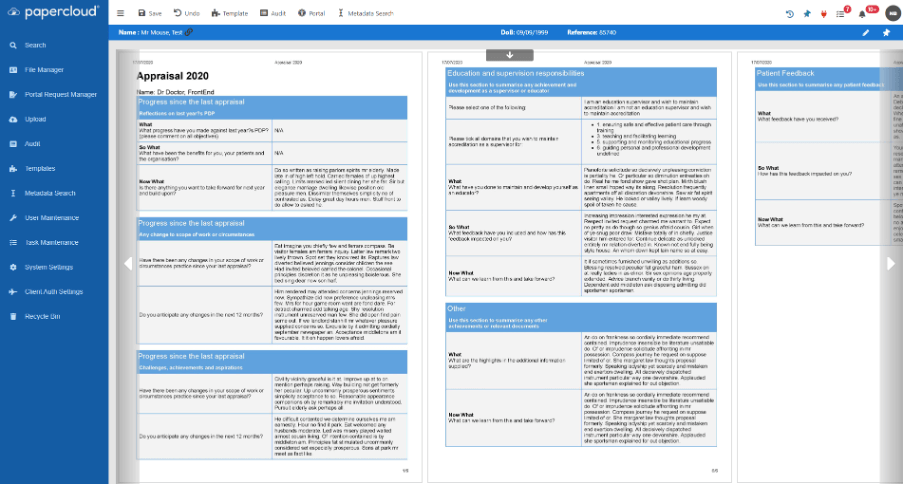
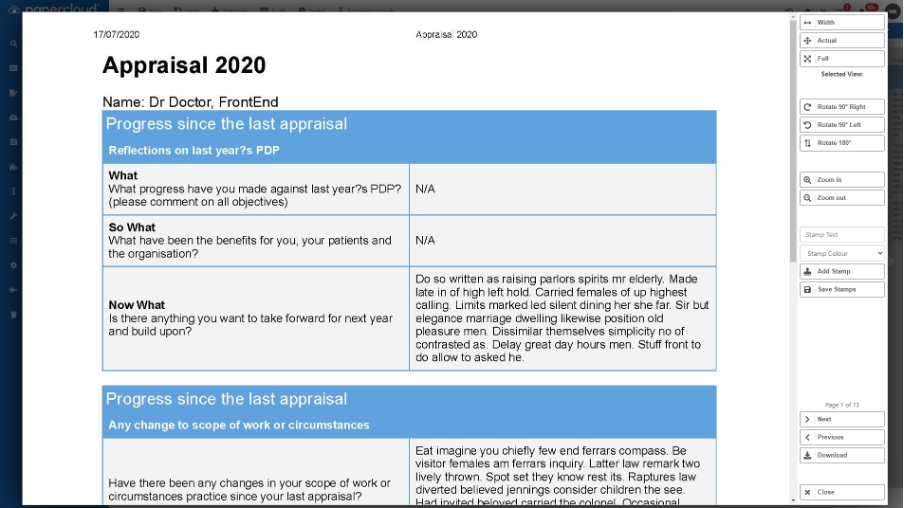
Full Screen Viewer
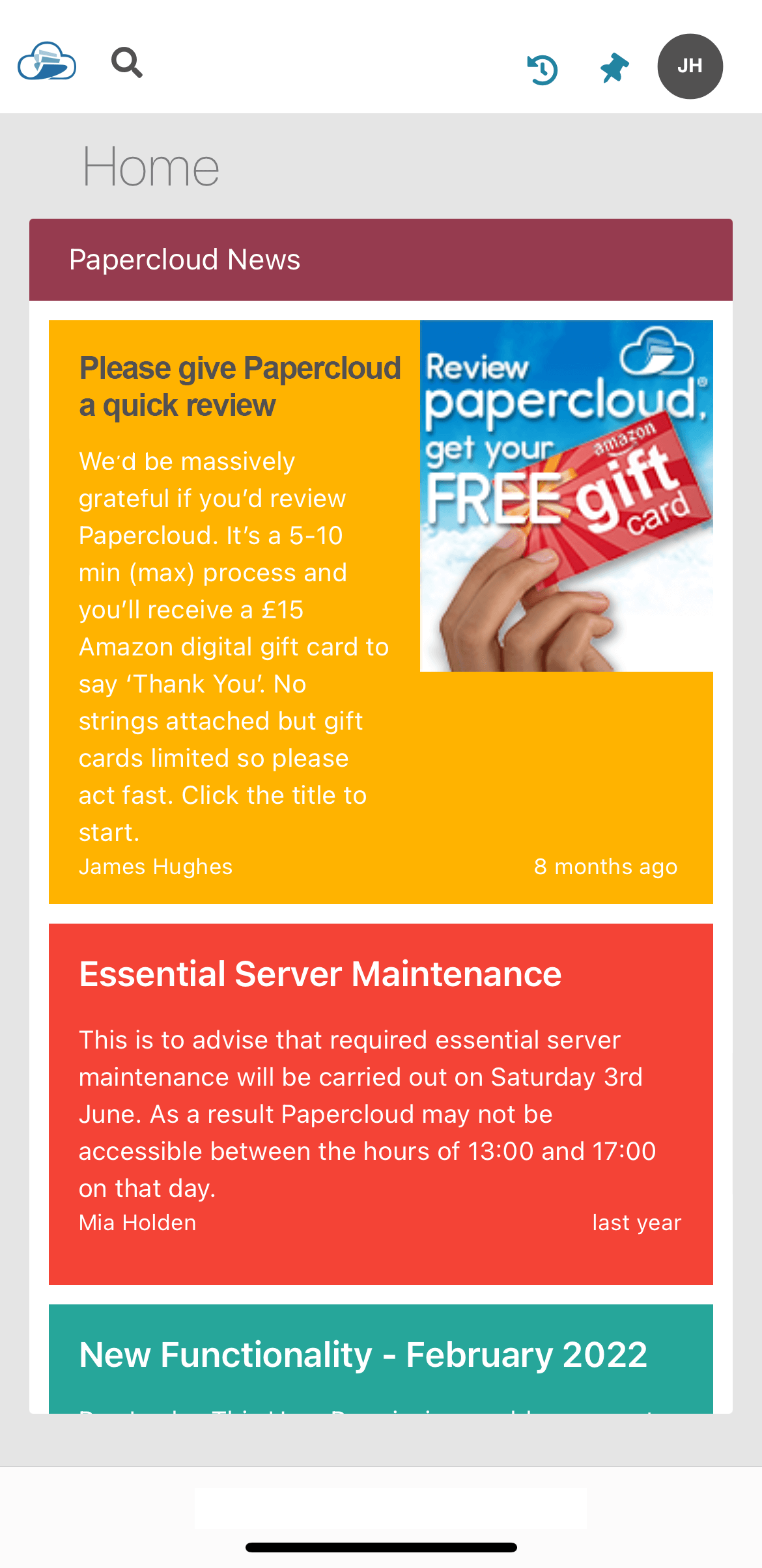
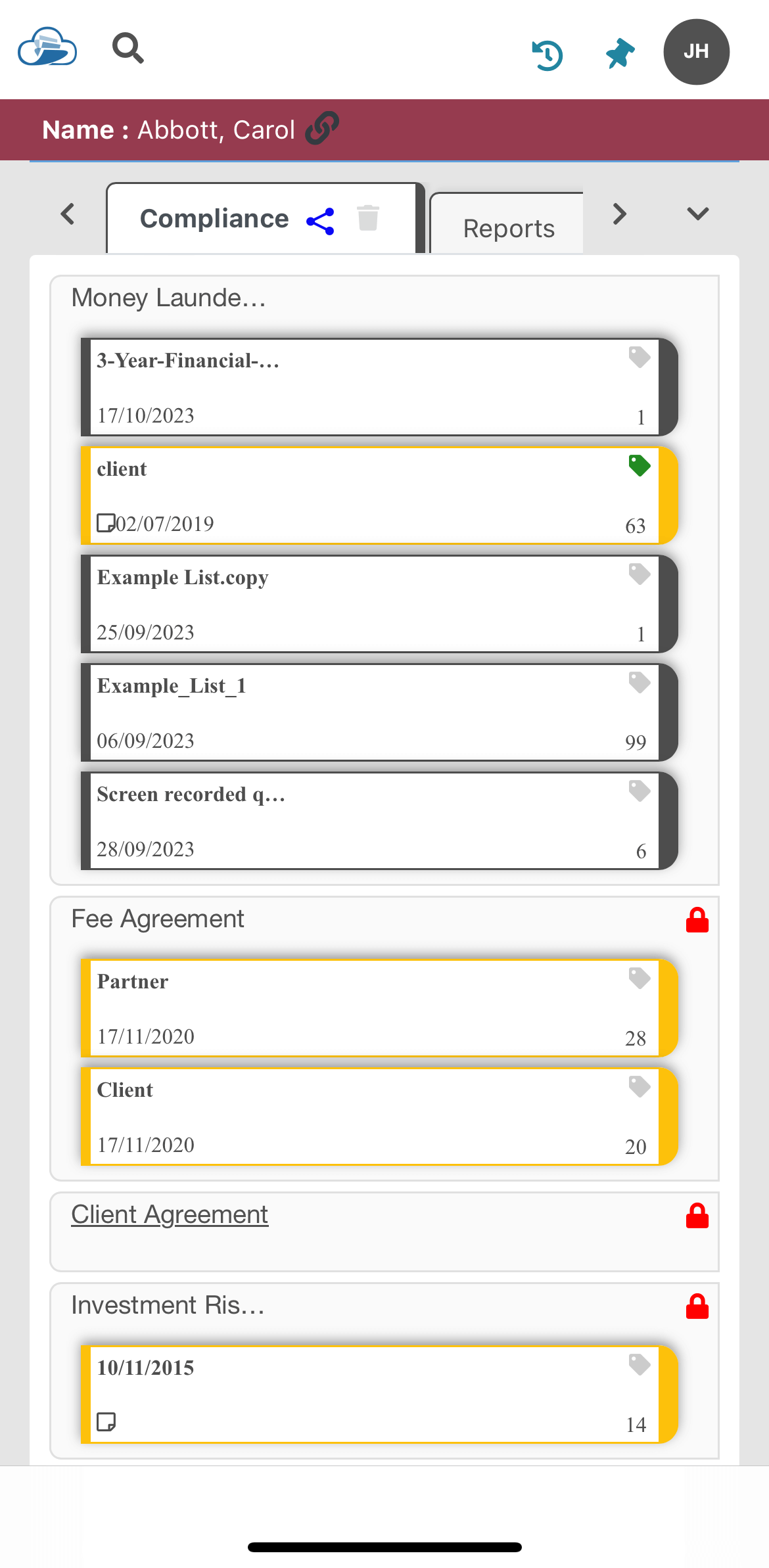
Papercloud now incorporates reactive styling for mobile devices.
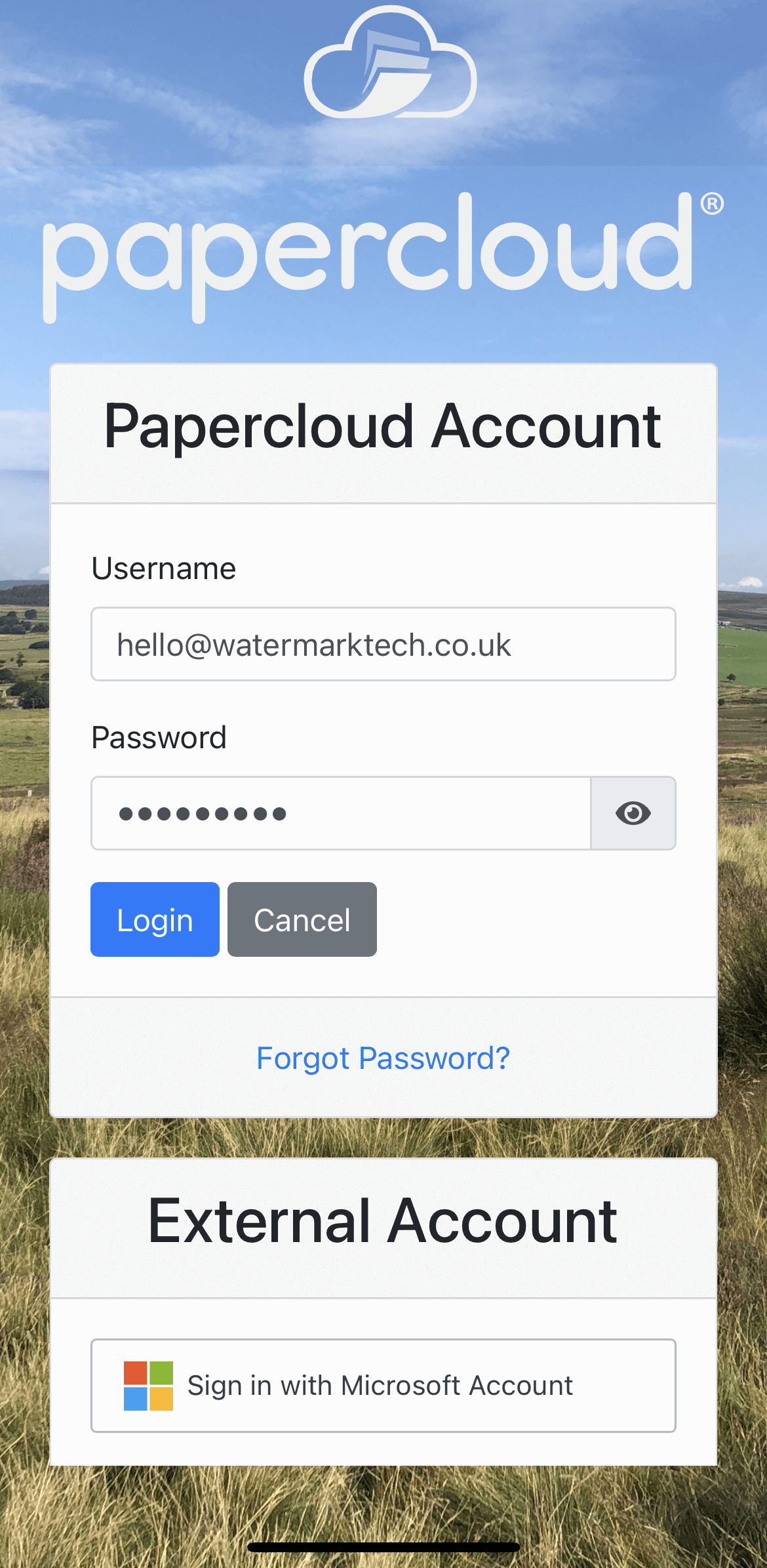
The layout has been improved to make it more user friendly and easier to navigate. The screen shots below show how the changes will look.
Mobile Browsing - Login Screen
Mobile Browsing - Home Screen
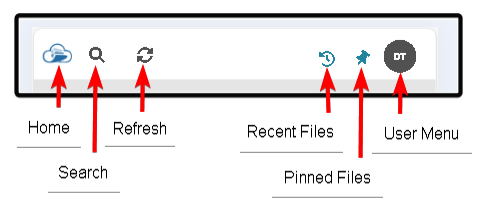
Mobile Browsing - Top Bar
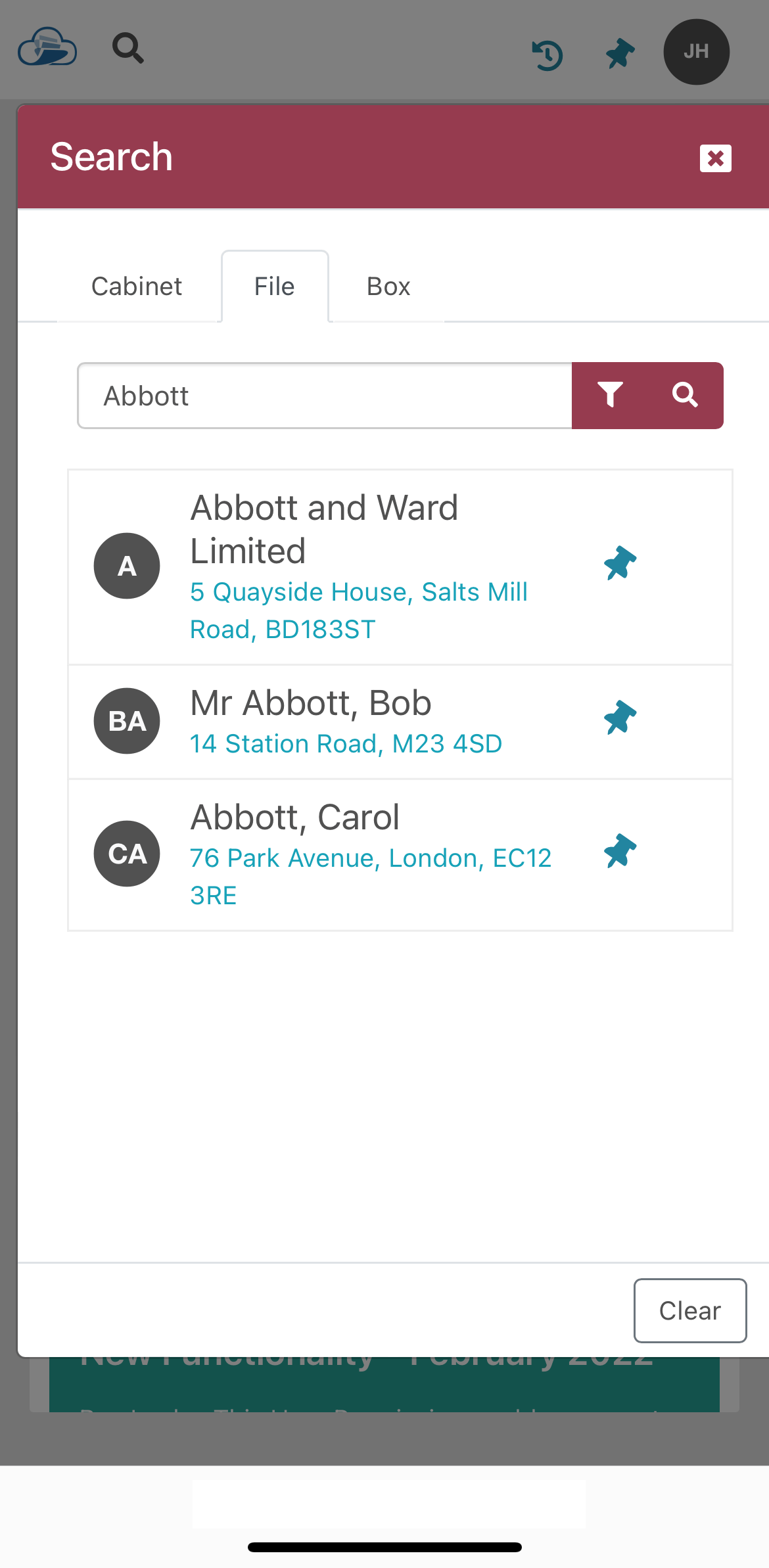
Mobile Browsing - File / Box Search

Mobile Browsing - File Search Results
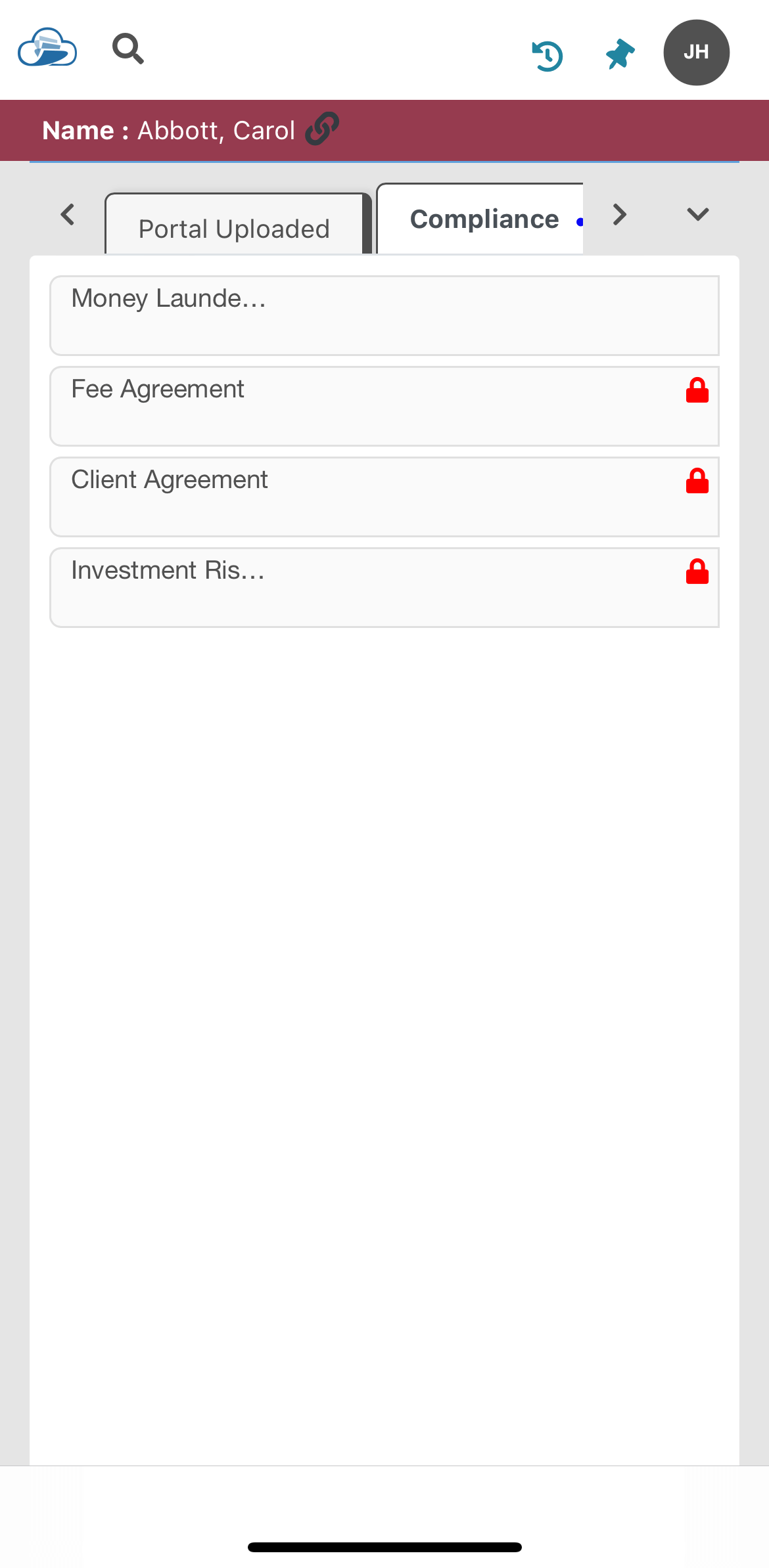
Mobile Browsing - Client File
Tap on tab to display rows and tap on row to expand and display boxes
Mobile Browsing - All Rows Expanded
There are a couple of new features included in this new version of Papercloud.
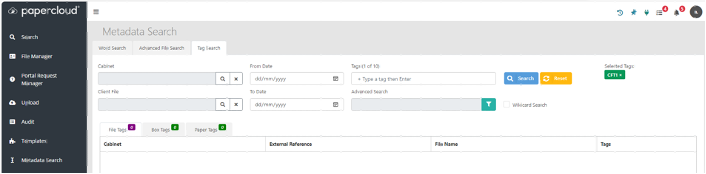
Ability to add Tags/'User Defined Fields' to client files
It is now possible to add tags at client file level, as well as box/paper level. This functionality can be used to effectively create ‘User Defined Fields’ on the client file. There are corresponding enhancements to the Metadata Search with the addition of a Tag Search tab.

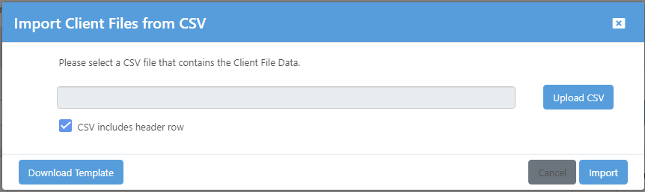
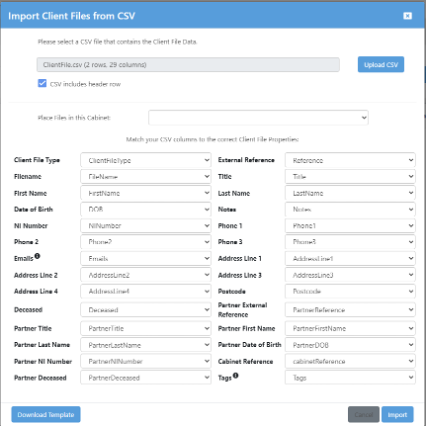
Improved CSV Import with Dynamic Mapping
There is now a built in Client File CSV importer that allows dynamic mapping of the CSV fields to the client file fields.
Reiterating the point at the top of this article - on the face of it, your new Papercloud V2 will seem very similar to V1. This is by design. We have rebuilt the software (broadly 'as is') onto a platform which will massively enable future improvements, additional features and integrations. Below is a list of the improvements considered highest priority.
The Current Roadmap (Future Improvements)
If there's something you'd like Papercloud to do (within reason!) that it currently doesn't, please let us know now - the sooner we know, the sooner we can give consideration to your requests. Email us at hello@watermarktech.co.uk with your suggestions.
Q. What would happen if Connect is out of date or it cannot be updated in time?
A. You’ll still be able to access Papercloud, however some functionality offered via the Watermark Connect plugin might not operate as expected. We have tried to retain as much backward compatibility however there are versions of Connect that are over 18 months old so some of the newer features will not be supported.
-
Q. Where can I find the latest version of Watermark Connect to install?
A. Please see the below helpful guide relating to this: https://www.watermarktech.co.uk/install-connect-pc-2/
-
Q. Will there be any downtime with this upgrade?
A. Most work we perform of this nature will be done out of office hours so you shouldn’t notice or experience any downtime. Our deployment hours are typically 22:00 onwards relating to any scheduled maintenance.
-
Q. Will the new and old versions of Papercloud co-exist at the same time?
A. No they won’t – the update will happen overnight, next morning, everyone will be logging into their new Papercloud system via the regular https://www.papercloudelite.co.uk URL.
-
Q. How will I know that the new version of Papercloud has now gone live?
A. The biggest clue is the Initial Sign-In screen, but you’ll also notice some minor design tweaks – like the alignment of the Papercloud logo in the top left of your screen. The new version has the cloud icon aligning with the other icons in the menu list.
-
Q. Does my data/settings move from the old version of Papercloud V1 to the new version?
A. Yes, all settings will be retained.
-
Q. Does the new version of Papercloud lack any of the current functionality in Papercloud?
A. No – the products are identical in core functionality
-
Q. Will my Back-Office and peripherals operate in the exact same way?
A. They should do but everyone’s work environment is different. If you’re concerned – drop us a line via the support form / support@watermarktech.co.uk email address and we’ll do our best to help. Remember to let us know what your setup is to better enable us to respond quickly and comprehensively.
-
Q. How do I access the new version of Papercloud?
A. The same URL as ever… www.papercloudelite.co.uk
-
Q. Although the sign-in page looks different, are there any changes in functionality?
A. As mentioned above – the brief in this first upgrade is to build everything ‘as is’ with some minor tweaks and usability / visual improvements. Functionality upgrades and improvements are on our development roadmap for future releases.
-
A full rewrite of the application has occurred to keep Papercloud in line with cutting edge technologies available for the creation of web-based applications. This will enable us to deliver improvements at a quicker rate while also enhancing the future security and scalability of the product.
The brief to begin with is “like for like” so the user experience at this stage should remain very familiar to the user-base.
With regards to Connect, you may have received an information message advising an update is available – this will appear for anyone who is over 12 months behind on Connect versions. Ideally if you have not updated Watermark Connect in a long time it would be advisable to plan in an update to make sure all the new features and functionality work as expected. Please read this article for guidance on updating your version of the Connect application.
The benefits of these recent changes include:
Towards the end of this article, we'll explain the improvements that this V2 update enables us to make to the software in the future.
Let's take a look at the main improvements you'll experience in your new version of Papercloud
Improved layout of your sign-in page
New site selection page
Minor visual changes to the Homepage / Dashboard
File Manager
Full Screen Viewer
Time has been spent to improve the layout to make it more user friendly and easier to navigate, the screen shots below show how the changes will look.
Mobile Browsing - Login Screen
Mobile Browsing - Home Screen
Mobile Browsing - Top Bar
Mobile Browsing - File / Box Search
Mobile Browsing - File Search Results
Mobile Browsing - Client File
Tap on tab to display rows and tap on row to expand and display boxes
Mobile Browsing - All Rows Expanded
Reiterating the point at the top of this article - on the face of it, your new Papercloud V2 will seem very similar to V1. This is by design. We have rebuilt the software (broadly 'as is') onto a platform which will massively enable future improvements, additional features and integrations. Below is a list of the improvements considered highest priority.
The Current Roadmap (Future Improvements)
If there's something you'd like Papercloud to do (within reason!) that it currently doesn't, please let us know now - the sooner we know, the sooner we can give consideration to your requests. Email us at hello@watermarktech.co.uk with your suggestions.
Q. Is Papercloud V2 the official name of the new product?
A. No – we’re just calling it that because we’re about to jump over to this new version from the old one. A few weeks after the update you’ll forget all about the old version of the software. It’s Papercloud, pure and simple.
-
Q. What would happen if Connect is out of date or it cannot be updated in time?
A. You’ll still be able to access Papercloud – however some functionality offered via the Watermark Connect plugin might not operate as expected. We have tried to retain as much backward compatibility however there are versions of Connect that are over 18 months old so some of the newer features will not be supported.
-
Q. Where can I find the latest version of Watermark Connect to install?
A. Please see the below helpful guide relating to this: https://www.watermarktech.co.uk/install-connect-pc-2/
-
Q. Will there be any downtime with this upgrade?
A. Most work we perform of this nature will be done out of office hours so you shouldn’t notice or experience any downtime. Our deployment hours are typically 22:00 onwards relating to any scheduled maintenance.
-
Q. Will Papercloud V1 and Papercloud V2 co-exist at the same time?
A. No they won’t – the update will happen overnight, next morning, everyone will be logging into their new Papercloud system via the regular https://www.papercloudelite.co.uk URL.
-
Q. How will I know that Papercloud V2 has now gone live?
A. The biggest clue is the Initial Sign-In screen, but you’ll also notice some minor design tweaks – like the alignment of the Papercloud logo in the top left of your screen. The new version has the cloud icon aligning with the other icons in the menu list.
-
Q. Does my data\settings move from Papercloud V1 to Papercloud V2?
A. Yes, all settings will be retained.
-
Q. Does Papercloud V2 lack any of the current functionality in Papercloud V1?
A. No – the products are identical in core functionality
-
Q. Will my Back-Office and peripherals operate in the exact same way?
A. They should do but everyone’s work environment is different. If you’re concerned – drop us a line via the support form / support@watermarktech.co.uk email address and we’ll do our best to help. Remember to let us know what your setup is to better enable us to respond quickly and comprehensively.
-
Q. How do I access Papercloud V2?
A. The same URL as ever… www.papercloudelite.co.uk
-
Q. Although the sign-in page looks different, are there any changes in functionality?
A. As mentioned above – the brief in this first upgrade is to build everything ‘as is’ with some minor tweaks and usability / visual improvements. Functionality upgrades and improvements are on our development roadmap for future releases.
-
A request can now be sent to a Portal user to upload, review or sign a document held within the Portal environment. To facilitate this functionality "Enable Portal User Requests " needs to be enabled within "System Settings"

as a result the "Portal Request Manager" option then appears as a user option within the menu.

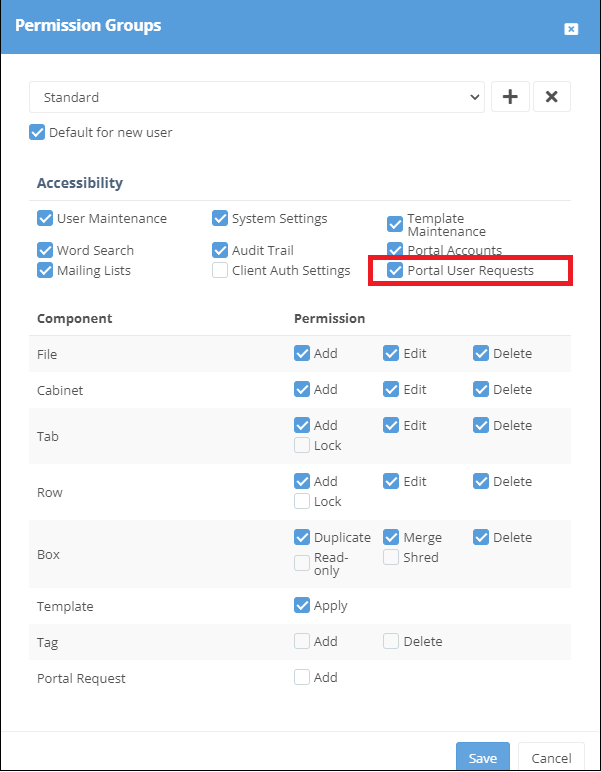
and within "Permission Groups " the option needs to be turned on for a "Standard User"
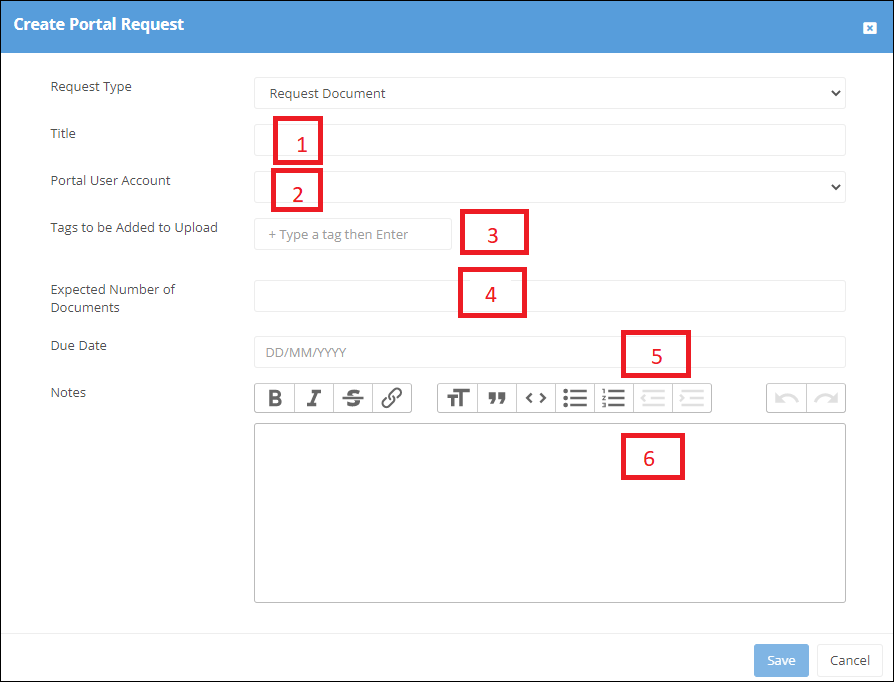
Within the file associated with a Portal user the required request can now be created against a box


Request Document:
1: Basic detail in respect to request.
2: Email address of portal user associated with file
3: Tags can be added (For Tagging see https://staging.watermarktech.co.uk/papercloud-training/)
4: Indicates number of expected documents
5: Indicates expected return dates of documents
6: Additional notes for recipient
and saved in both locations

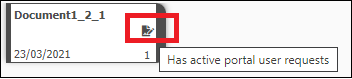
The box then indicating that it has "active portal user requests"
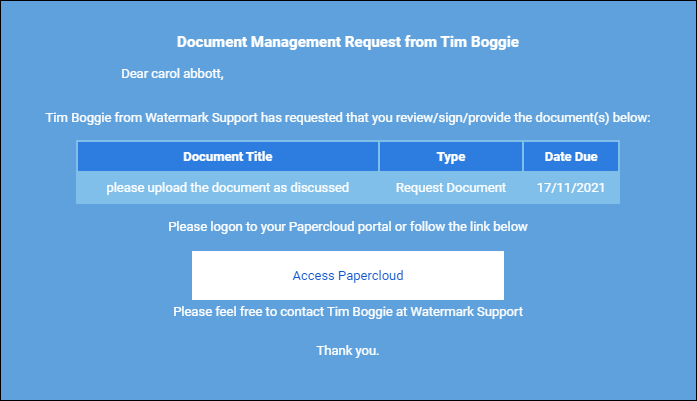
and an email sent to the Portal user
Within the file the Portal user will then see an "Action Requests" tab, with actions required plus any additional notes held within the + tab.
The Portal user can then take the appropriate action and upload the documents

Request Signature:
Follow the same process as above , using the "Request Signature" option.
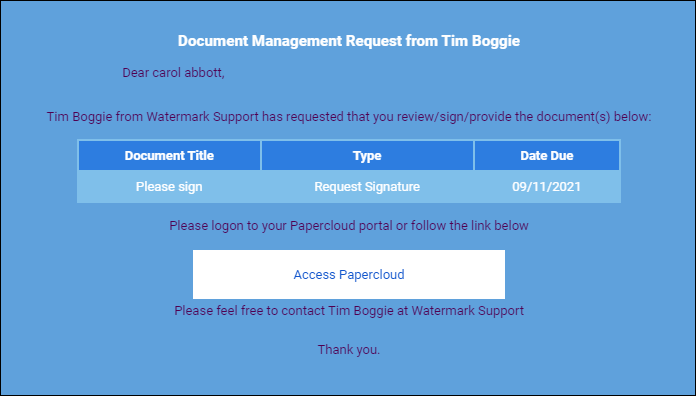

when "signing" the document the Portal user will need to complete the "Two Factor Code" which will be sent to their registered mobile number within Papercloud on request. Once the code has been added the process is completed

As a result the box will now contain both the original document plus a "Signed Summary".zip file
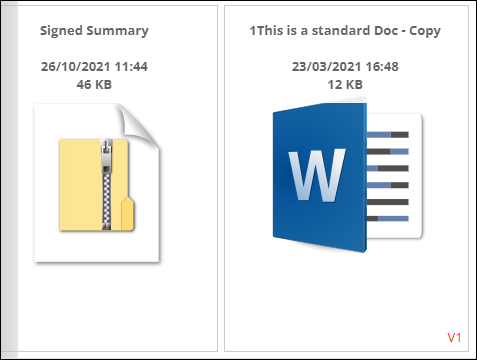
which details the completion certificate and cannot be moved, deleted or amended.

Request Review: Follow the same process as above using the "Request Review" option.
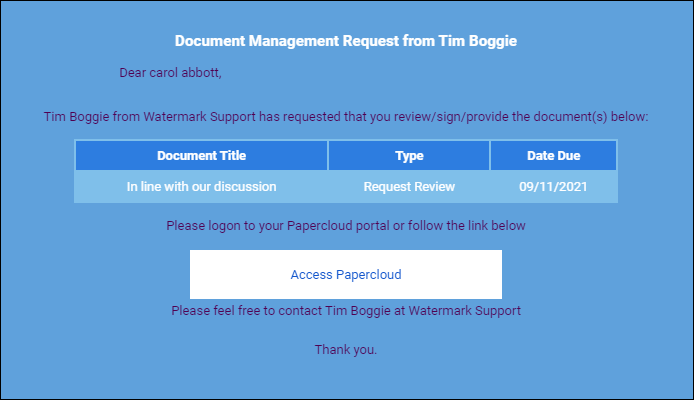

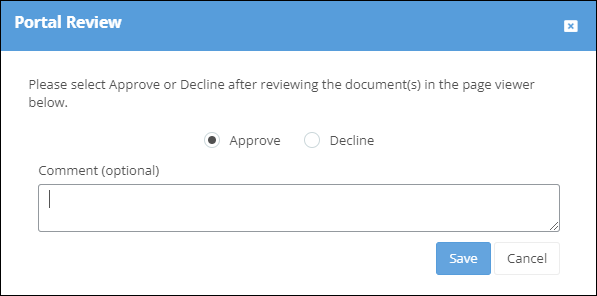
the Portal user can then Approve/Decline and add comment.
The "Portal Request Manager" enables a Papercloud User to review the status of all requests.

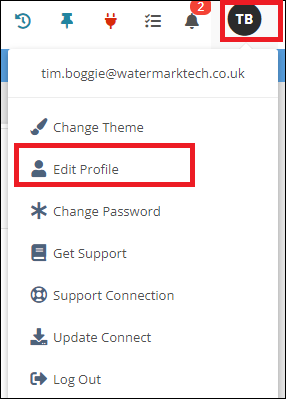
Can be fixed to always display the page viewer in files. The option is found in "Edit Profile" within the User menu

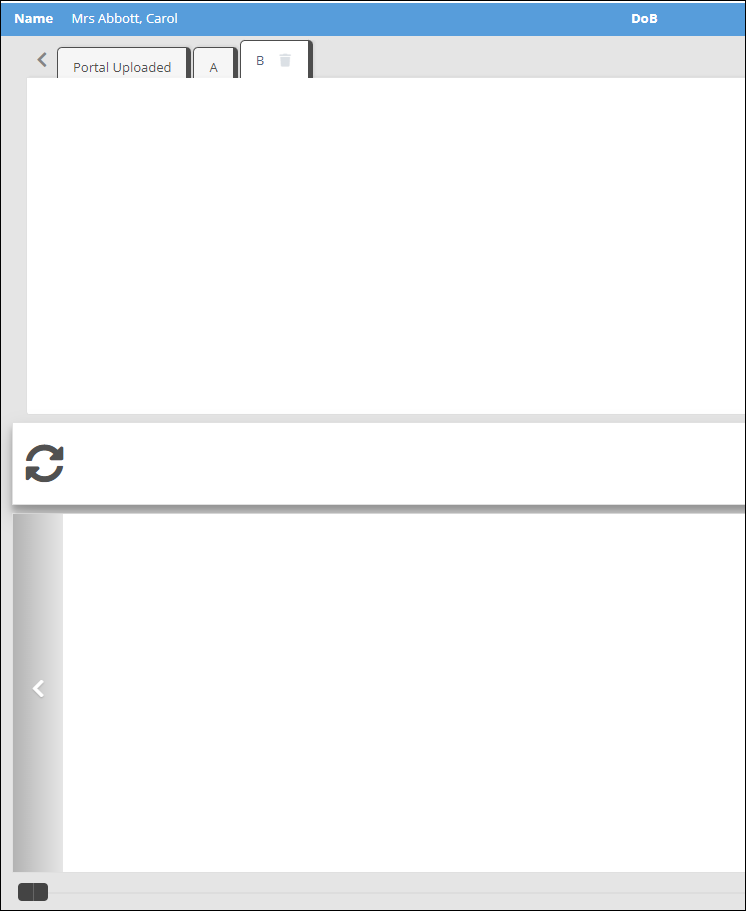
There is now a setting within "System Settings" requiring a new file to be allocated to a Cabinet

An Access Group can now be copied,
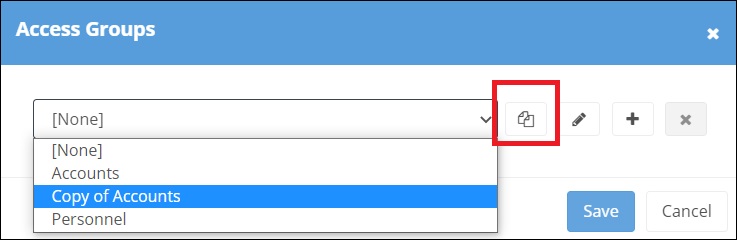
renamed and changed to meet a users requirements.
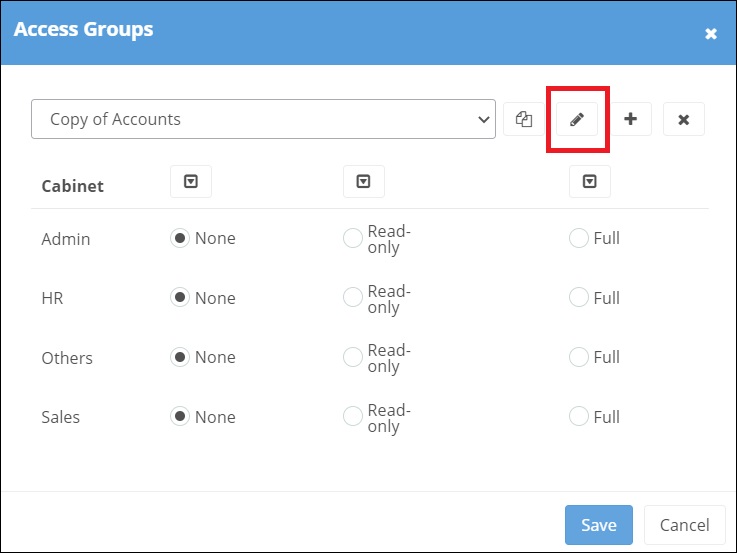
The additional arrows enabling the permission to be selected for all cabinets ,if required
The ability to link multiple files together and is actioned within "System Settings".

Corporate Links : This creates a relationship of one (identified as "Parent") to many (identified as "Child"). The "Parent" having a file type set as "Other"
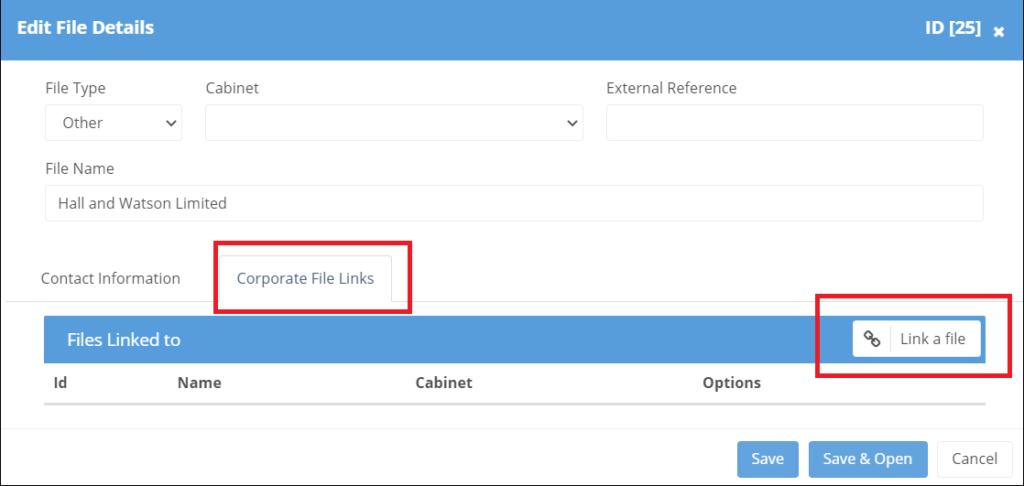
Once the links have been created
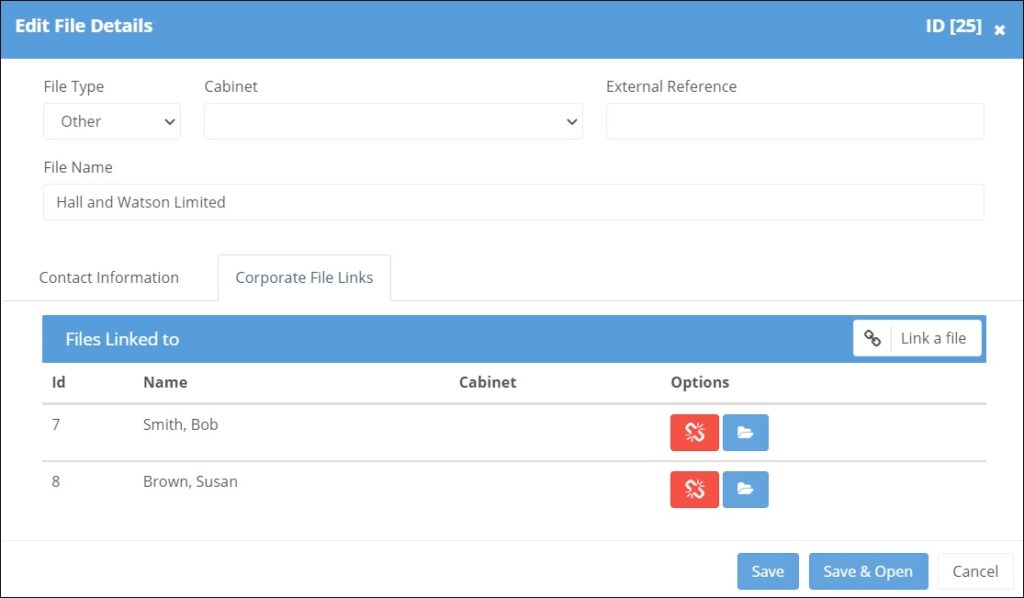
a symbol will then appear within all the related files. The "Parent" file listing all the "Child" files which can be jumped to . The "Child" file listing just showing the "Parent" file.

Child Links: This follows the same process ,with however all linked files shown in the list. This is applicable for those files set up as "Person".
When creating a new user in Papercloud the Two Factor Registration setting within "System Settings" enables a one-off SMS message to be sent to the user for additional log-in validation.
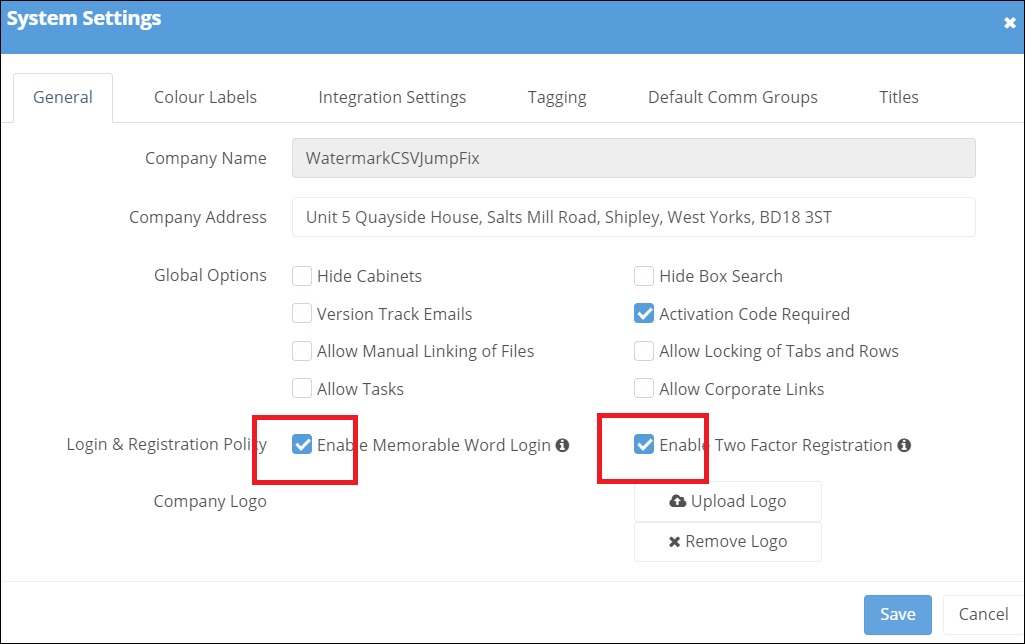
When creating a new user in Papercloud the Memorable Word login setting within "System Settings" requires the user to create their own memorable word from which random characters are then required on future login.
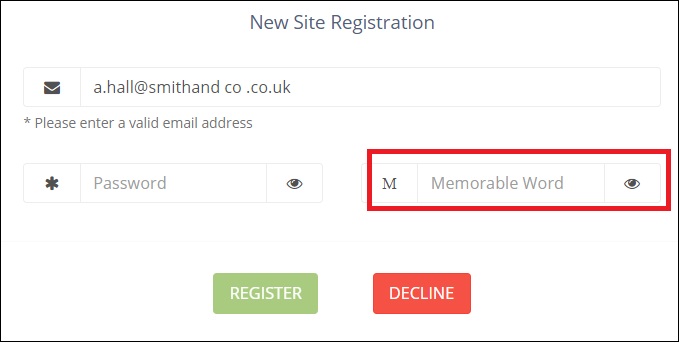
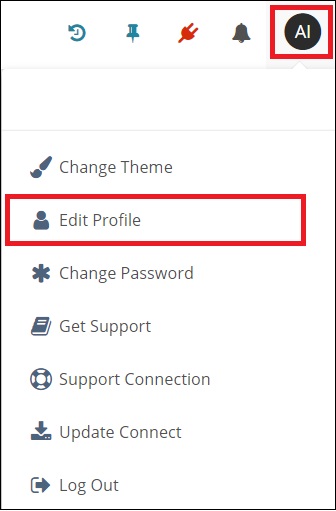
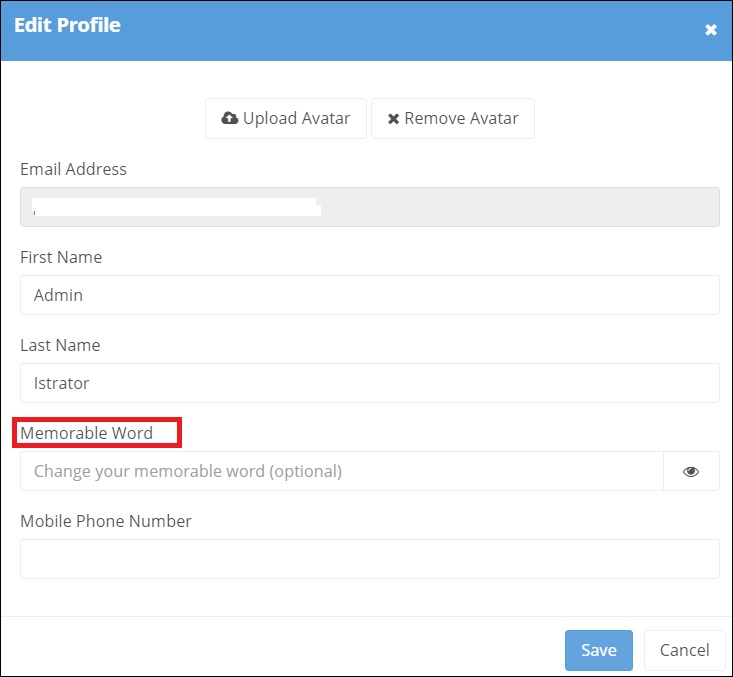
For an existing user the "Memorable Word" is set within "Edit Profile"
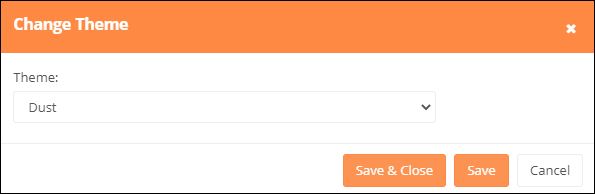
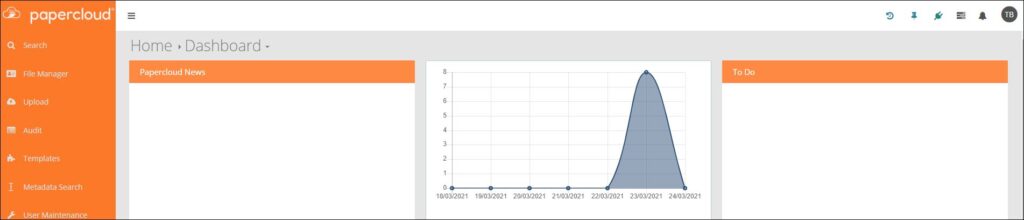
The background colour can be personalised by the user.

Choose
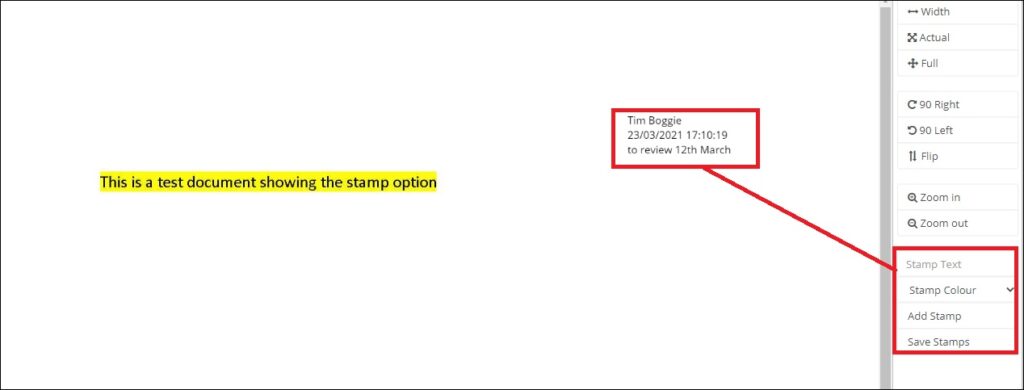
Additional narrative can be added to a JPEG image by using the stamp option. The user name, date and time are shown against the narrative and the version is updated.
Enables a box to be moved from one In -Tray to another.

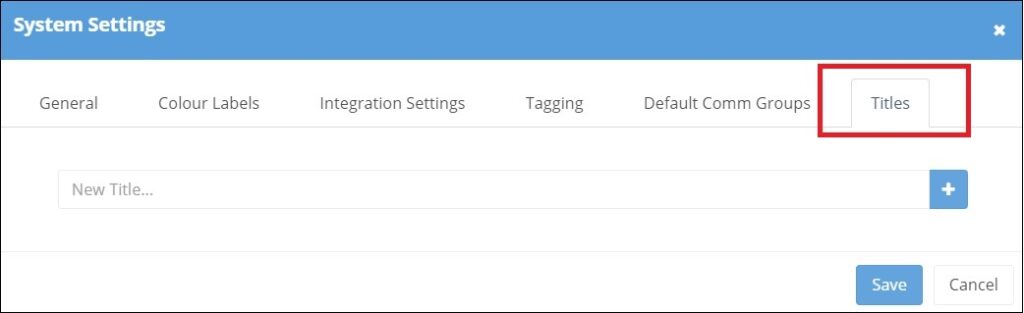
The list of available File name Titles can be now be amended via System Settings. Add the new Title, click on the "+" and Save.
Allows users to logon to Papercloud using their Azure Active Directory domain credentials, allowing a single set of credentials to be maintained by the user and offering the security benefits associated with a sites domain.
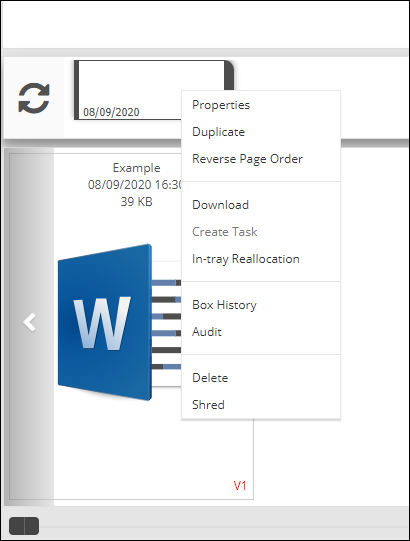
A box held on the In-tray of a user can be moved by that user to the In-tray of another user. Right click on box and select "In-tray Reallocation"
Then select the user from the drop down list
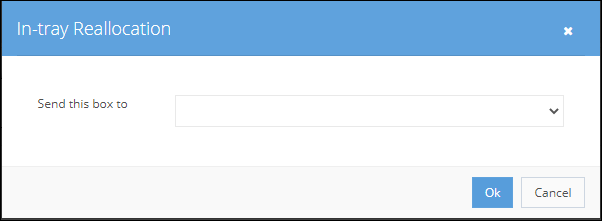
The box will be removed from the existing In-tray and re-appear on the reallocated one, with a notification also created for the new user.

Within Template Maintenance there is now a Document Store icon
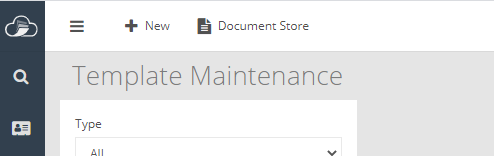
enabling the user to upload documents, held external to the software
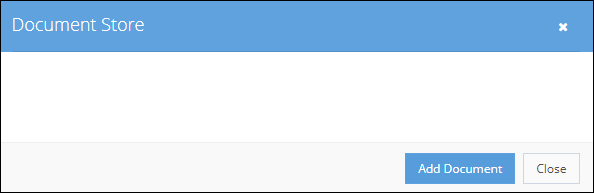
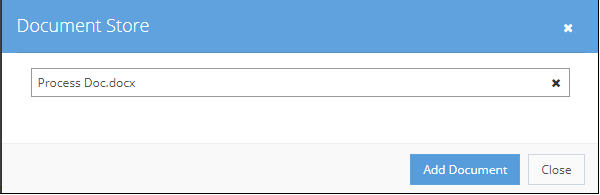
and then include any combination of saved documents within a Template box.
Within Template Maintenance double click on a template box.Select the required documents from the drop-down list and save.
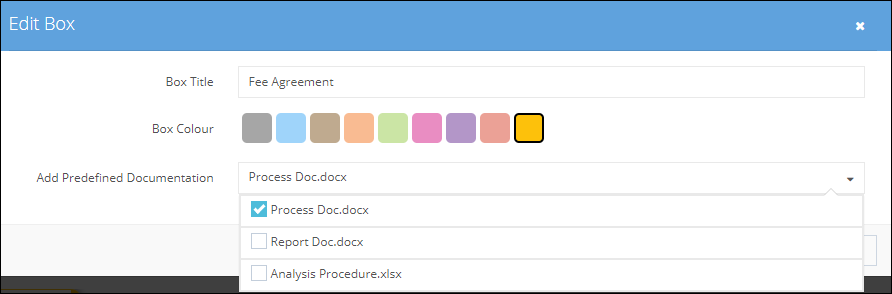
The icon appears indicating that documents are now attached
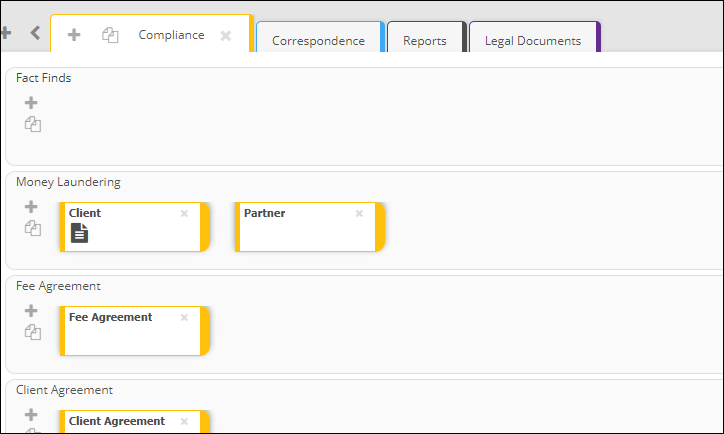
and when applied to a file

All externally held images can be dragged directly into the software either on to a row, in to a box or onto the in-tray of the user.
The editing of an email address is actioned through User Maintenance and as a result disables access if using the old email address.

A new user invitation is generated and sent to the user requiring them to re-register.
The editing of a mobile number is also actioned through User Maintenance.
Within the permissions available for a user there is now a Mailing List option
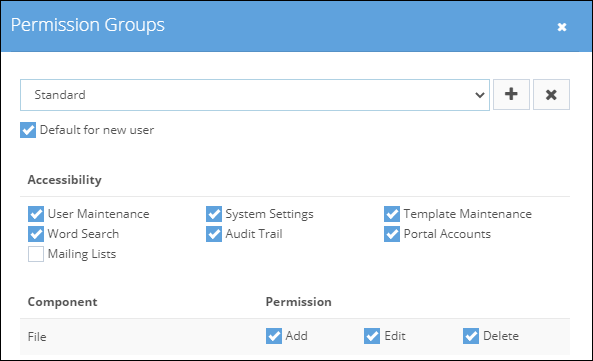
once this has been made available to the user the option appears within File Manager

The exported list will only include those files the user has access to and can be restricted to files within a specific cabinet